
Redneck Tim
Jeepers
-
Joined
-
Last visited
Everything posted by Redneck Tim
-
98° with 90% humidity here in OKC leaves all kinds of failing deodorants.
-
Mine is 7 5/8 with a shaved nugget
-
I'm with Jodi I don't like taleal heavy T-shirt. I wear a medium weight T shirt in the winter and light weight T in the summer. We get work shirts a couple times a year and they have a note under my name for no long sleeve Th shirts in the winter.
-
I tend to lean towards a darker colored shirt as they don't show dirt as much. I live in the country so there's always dirt around.
-
Fitted hats are hard to find for me as I have that melon head you referred to. I have to try on all the XL/L hats to find one that's not to tight but also not too loose. So a snapback vented or solid hat would be what I would buy.
-
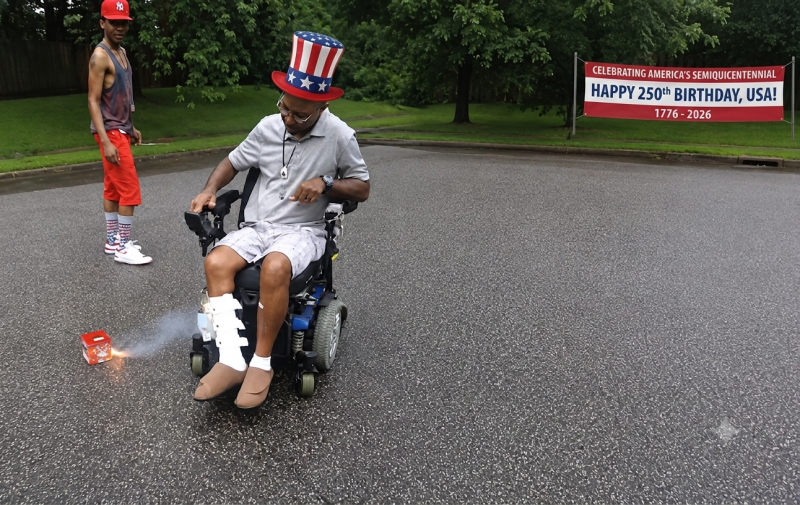
Before all the fireworks festivities get started just wanted to wish everyone a happy 4th of July and a Happy 250th birthday to the United States of America. Please everyone be safe today and finish the day with the same amount of digits you started it with. P.s. one more thing . Someone make sure that Terry's wheelchair is charged and in proper working order so he can back up.
-
I have a JKU, TJ, YJ and now I'm looking at getting a CJ-5. I know finding one like I want is going to be impossible unless I find an old farmer that has one that's been in the barn for 30 yrs and ran when parked. My luck though he will want my second born and the right arm of my first born.
-
Next time I come to Florida I may have to get my son to rent us a Jeep and go see the trails.
-
Need input.... Johnny 5 alive
-
I'm wanting to start working on a sound system for my TJ and later for the wife's JKU. I want to keep as much room as possible in the little cargo area that both Jeeps have. I like the DS18 and American soundbar setups but want a 10" sub in the bar. All I'm finding is 4 - 8" or 6.5". Anyone know of anyone that makes a bar with 10" or is this something that I'm going to have to make for myself?
-
A dry fit shirt would be nice. I know they are a little more expensive but the benefits in this hot summer heat here in Oklahoma is worth it. We run topless and doorless from April to November so we keep a UV sunscreen in the Jeep or wear a dry fit UV long sleeve/short sleeve shirt.
-
Me too. It's been a while since I had some yellow cake with chocolate icing.
-
It's ok Boss, well let you lead the pack.
-
I'd be happy with 4 friends. Like a fat kid loves cake happy.....
-
Oh no. Wish I had some friends to send here.
-
Very nice
-
42's, 5.13's & a 6.4 Hemi swap and axles out of a 2014 or newer Dodge Ram 2500 (already set up for coil springs and 1 ton axles).
-
Oh trust me we have been doing some research on it. I prefer the larger sidewall for the ability to air down on trails. I won't ever put rubber bands on any vehicle. Chrome moly axles aren't out of the picture either. Also been looking at trusses and just trying to figure out the end game with Dirty Girl. Wife wants the look but I want the look and functionality.
-
I did some horse trading with the guy that is fixing Dirty Girl for us. He's moved into a new to him shop and is needing some AC work done. Few electrical demons on the old girl was keeping her from running right.
-
Wow that sounds like a very adventurous trip.
-
Worth a shot. It's only going to happen once so why not.
-
I walked it I didn't run. I was quite surprised in my time of finishing. I had a time of 3:34:41. Wasn't to bad for an old out of shape fat guy. Well I guess oval is a shape.......lol
-
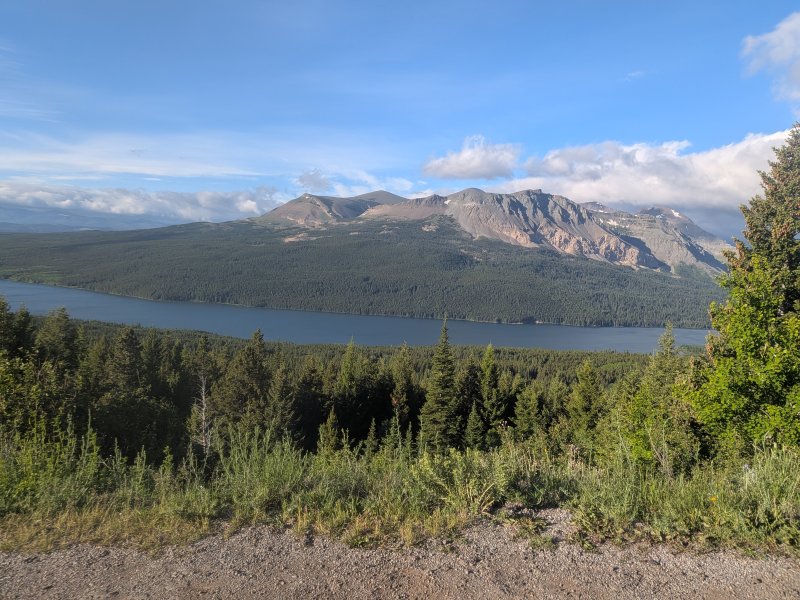
We are at Glacier National Park for a Half Marathon. The first 5 miles were brutal as all get out. Supposedly a 900' elevation climb but it was way more than that.
-
Well I can report that Montana is everything that it is made out to be. At least the part we are in.
-
I hope everyone had a great Father's day. I spent some time with my dad and heard from my oldest son and his wife. Maybe someday the youngest will wake up and see that we're not the ones putting his kids in an unsafe situation.